Most business tools start as a spreadsheet, and for good reason — it’s flexible, familiar, and fast to build. But spreadsheets have a natural ceiling. At some point, the same flexibility that made them useful early on starts working against you: too many people editing the same file, formulas breaking under complexity they were never designed for, or a “quick tracker” that’s quietly become the system half the business depends on.
Knowing when to move from a spreadsheet to a proper web app isn’t about spreadsheets being “outdated” — plenty of well-built ones run for years without issue. It’s about recognizing specific signs that the tool has outgrown the format it started in.
Sign 1: Multiple People Are Editing the Same File at Once — and Breaking Things
A spreadsheet built for one person often starts breaking down the moment five or ten people need to update it simultaneously. Formulas get accidentally overwritten, formatting gets inconsistent, and “who changed this cell?” becomes a recurring question.
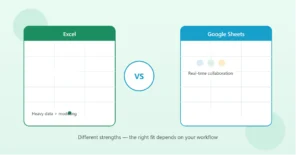
Google Sheets handles simultaneous editing better than Excel, but even Sheets has a ceiling — once you need structured permissions (this person can only edit their own rows, this person can only view, this person can approve) rather than everyone having equal access to everything, a spreadsheet usually can’t enforce that cleanly. A web app can.
Sign 2: You’re Fighting Formulas to Do Things Spreadsheets Weren’t Built For
Spreadsheets are excellent at calculation. They’re not naturally built for things like: multi-step approval workflows, role-based permissions, complex conditional logic across many interconnected records, or a clean interface for someone who isn’t spreadsheet-literate to interact with.
If you find yourself building increasingly elaborate formulas, helper columns, and workarounds just to make the sheet behave like an application — with dropdowns triggering other dropdowns, hidden tabs doing background calculations, and a structure only the original builder fully understands — that complexity is usually a sign the underlying need has outgrown the tool.
Sign 3: Performance Is Noticeably Slowing Down
Both Excel and Google Sheets can handle a genuinely large amount of data, but performance does degrade as row counts, formula complexity, and file size grow. If your spreadsheet takes several seconds to recalculate after every edit, crashes periodically, or has become noticeably sluggish to open, that’s a practical (not just theoretical) sign it’s approaching its limits.
A database-backed web app handles large datasets far more gracefully, since it’s not recalculating an entire sheet’s worth of formulas every time something changes.
Sign 4: You Need a Clean Interface for Non-Technical Users
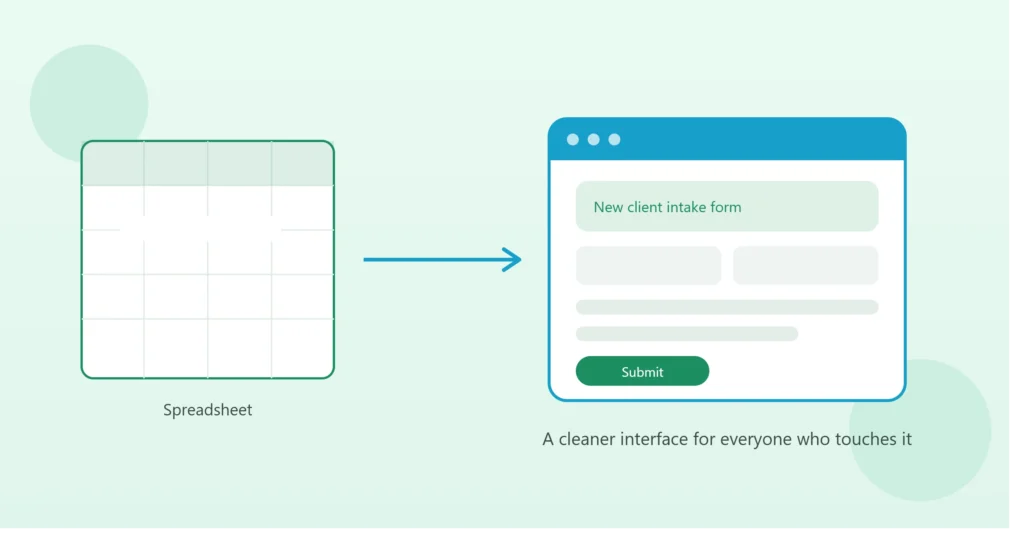
A spreadsheet is a reasonable interface for the person who built it. It’s often a confusing one for a client, an external partner, or a new hire who just needs to submit a form or check a status — without accidentally deleting a formula or misunderstanding which tab to look at.
If a growing number of people interacting with your “spreadsheet system” aren’t spreadsheet-comfortable, a simple web app with a purpose-built interface (a form to fill out, a dashboard to view, buttons instead of formulas) usually reduces both training time and user error significantly.
Sign 5: The Spreadsheet Has Become Business-Critical Infrastructure
There’s a meaningful difference between a spreadsheet that’s a helpful convenience and one that, if it broke or someone accidentally deleted a tab, would seriously disrupt the business. If your team would genuinely struggle to operate for a day without a specific spreadsheet — and there’s no real backup or audit trail beyond version history — that’s usually a sign the tool deserves the reliability, backups, and access controls a proper web app provides.
What “Upgrading” Actually Looks Like
Moving beyond a spreadsheet doesn’t necessarily mean a from-scratch enterprise software project. Common paths include:
- A lightweight custom web app (often built faster and more affordably than people expect) that replicates your spreadsheet’s logic with a proper database, permissions, and interface
- A low-code platform (like Airtable or a similar tool) that sits between a spreadsheet and full custom development — more structure than Sheets, less overhead than a fully custom build
- Keeping the spreadsheet as a reporting layer while moving the actual data entry and workflow into a purpose-built tool, similar to how CRM data can sync into Excel for reporting rather than living in the spreadsheet directly
The right path depends on complexity, budget, and how central the tool is to daily operations — not every spreadsheet that shows one or two of these signs needs a full rebuild immediately.
A Practical Way to Decide
Ask honestly:
- How many people touch this file regularly, and do they need different levels of access?
- How much time is spent working around the spreadsheet’s limitations rather than using it directly?
- What would happen to the business if this file broke or was accidentally deleted tomorrow?
If the answers point to “many people, significant workaround time, and serious disruption,” that’s a strong case for moving to a proper application. If the answers are closer to “one or two people, minor friction, easily rebuilt,” the spreadsheet likely still has room to run.
You Don’t Have to Choose All at Once
It’s also worth knowing this isn’t necessarily an all-or-nothing decision. Some businesses move the highest-friction part of their process (say, client-facing data entry) into a simple web form or app, while keeping reporting and analysis in a spreadsheet that pulls from it. This staged approach often reduces risk and cost compared to rebuilding everything at once.
Bottom Line
Spreadsheets aren’t a starter tool you’re supposed to “graduate” from on a fixed timeline — plenty of well-structured ones handle real business needs indefinitely. The signs above are less about the tool’s age and more about specific friction points: collaboration breaking down, formulas straining under complexity, performance dropping, non-technical users struggling, or the file becoming too critical to risk.
If you’re not sure whether your current spreadsheet setup has room to grow or is ready for an upgrade, book a free 15-minute call and we’ll take an honest look at what would genuinely save you time versus what’s working fine as-is.